Every bounce, ready for the car.
Car Test watches the folders your DAW exports into, sorts every bounce into its song by how it sounds, and puts them on your phone. Play the newest master, or switch between versions at the same bar to hear which one wins.
Free beta for Windows 10 and 11. Mac and phone
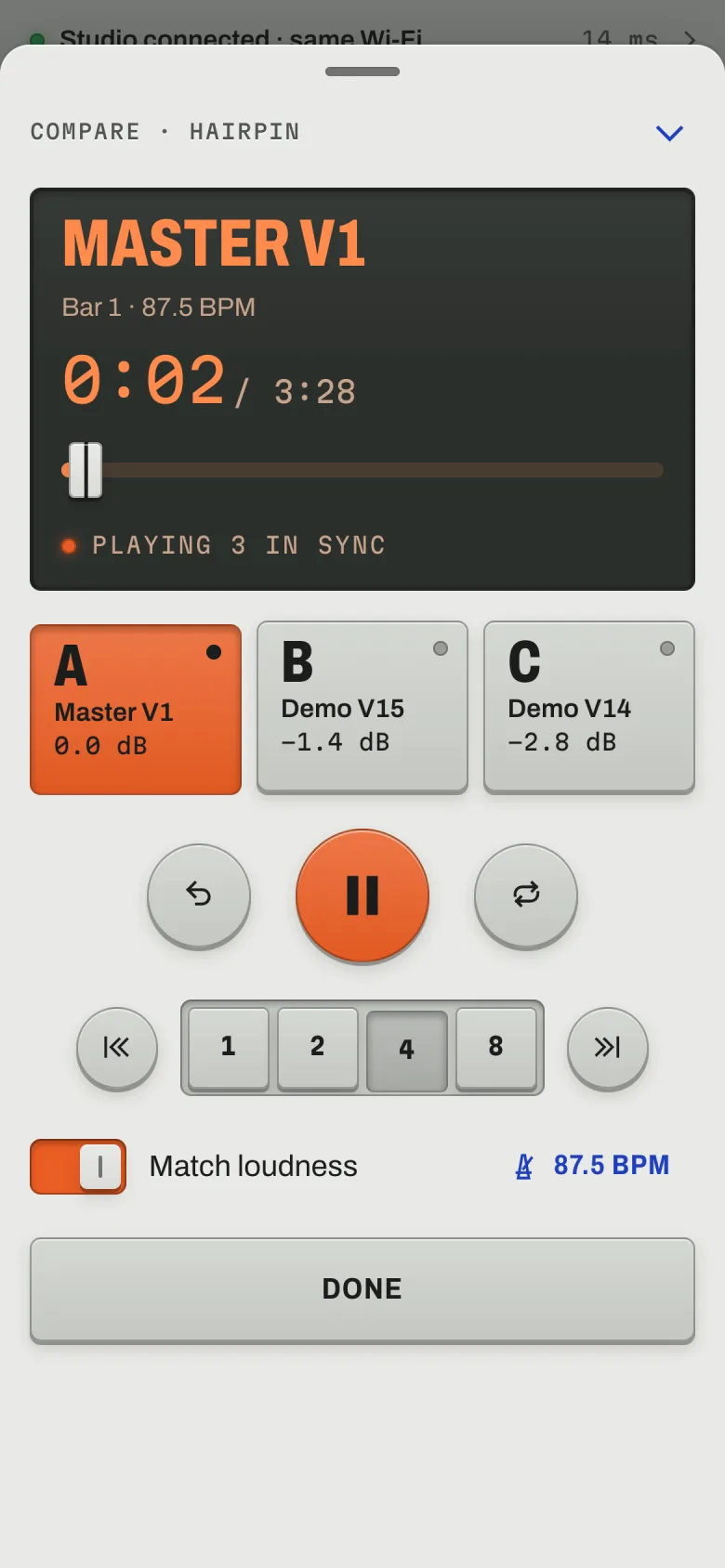
Which version wins?
Pick up to three versions of a song. They play together and you hear one. Press a key and the next one picks up at the same moment, at matched loudness, so you judge the mix and not the volume.
These are three mixes of one four-bar loop, made in your browser. Press play, then switch with the keys or 1 2 3.
From the bounce to the car
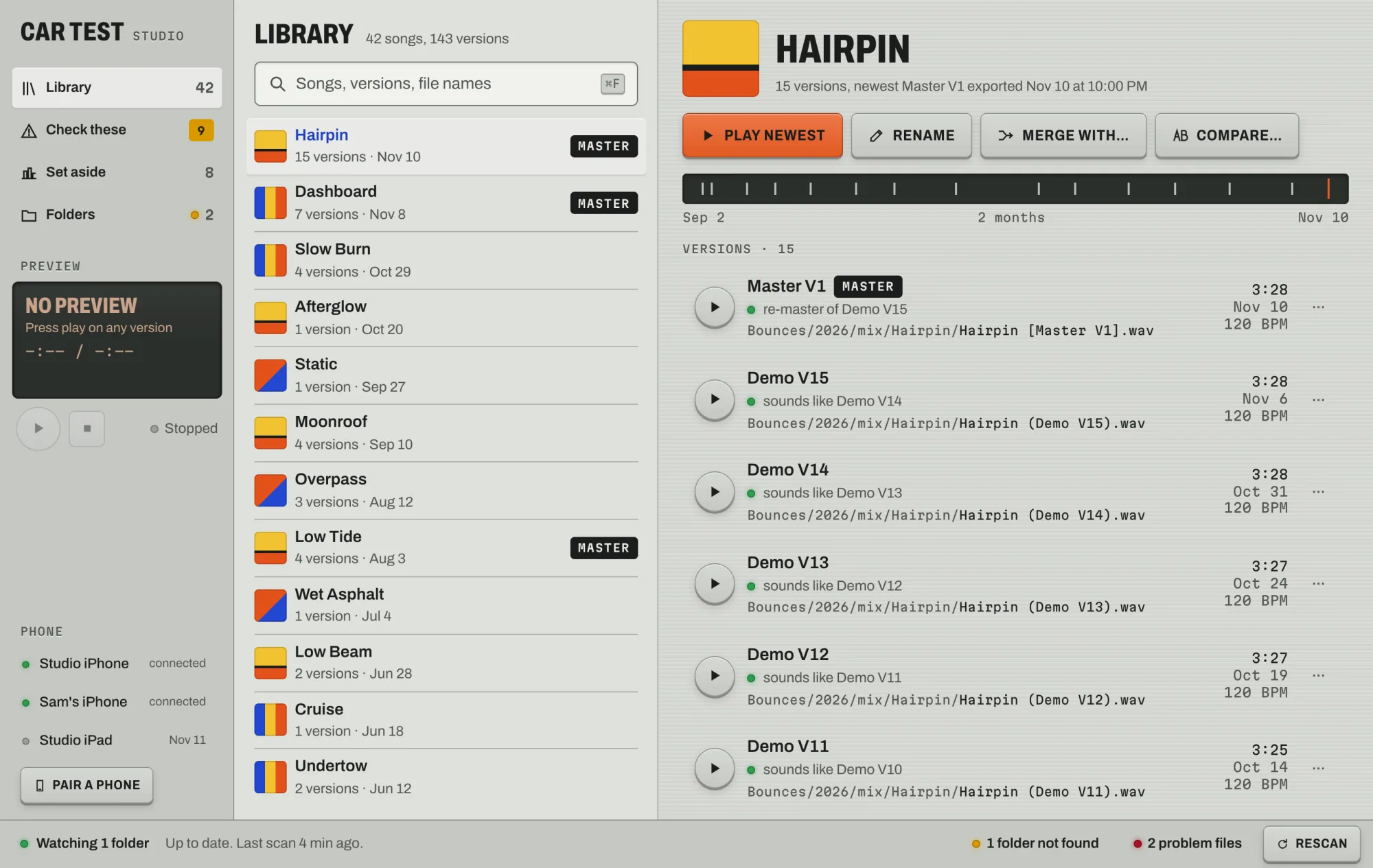
- Bounce like you always do. Car Test watches your export folders and makes a small listening copy of every new audio file. Project files and video are skipped.
- It sorts each bounce into its song by how it sounds. File names are only a hint, so "final_FINAL_v3" still lands in the right place. Anything it isn't sure about waits for you under Check these.
- Open Car Test on your phone. The newest version of every song is there. Keep the ones you want for the drive and they play with no signal.
Your music stays on your computer.
Car Test doesn't upload your songs anywhere. Your phone plays them straight from your computer over an encrypted connection. Our small server only helps the two find each other, and it never sees audio or song titles.
There's no account. Scanning a code on your computer is how your phone signs in, and your computer asks you before any phone can join.
Get Car Test
Car Test runs on the computer you make music on, and plays on your phone.
The beta isn't signed with a Microsoft certificate yet, so Windows may say it protected your PC. Choose More info, then Run anyway. Updates install themselves after that.
macOS 11 or later. The beta isn't signed by Apple yet, so the first time you open it macOS says it can't verify the app. Choose Done, open System Settings › Privacy & Security, scroll down and click Open Anyway. Updates install themselves after that.